2. Import the model
- Choose Import model….
- Type the path of
baluster.stl(or use Browse…). - Press Check and preview.
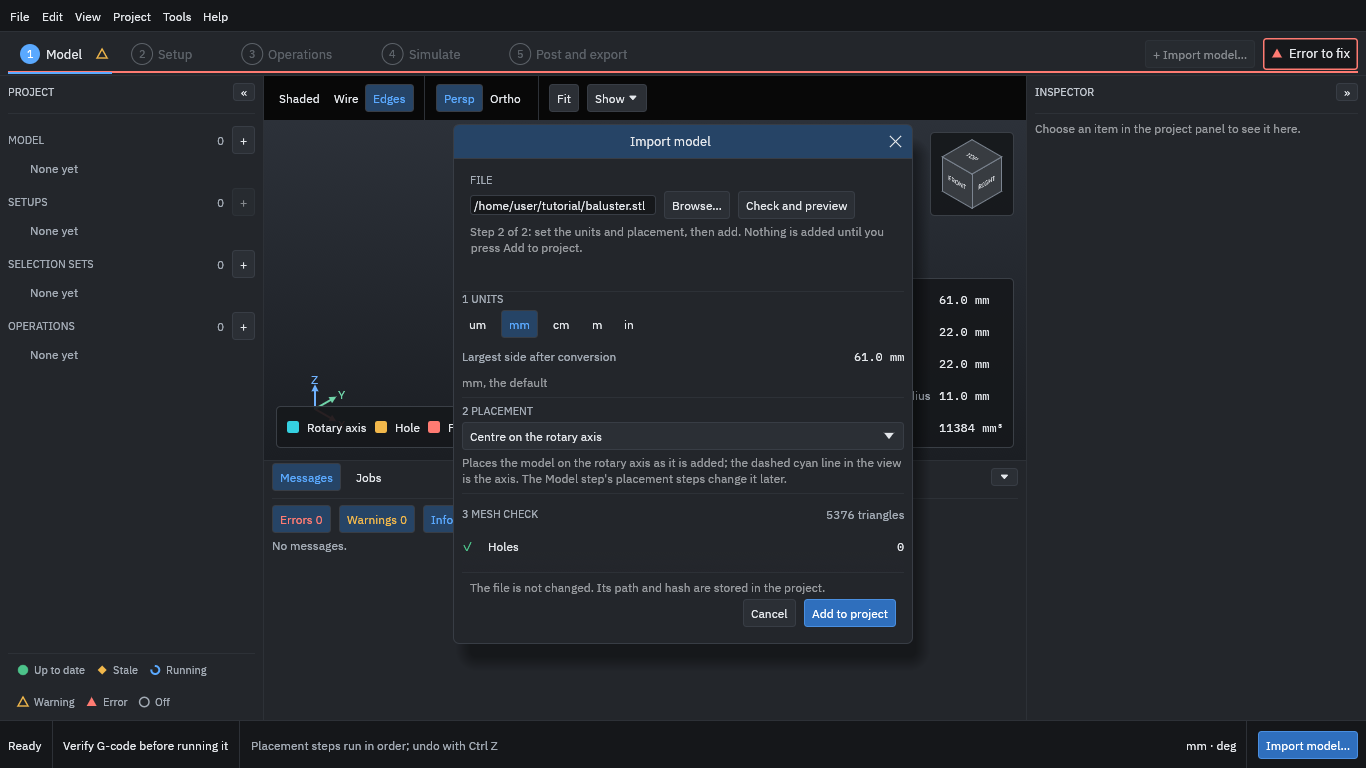
The dialog shows what the file holds before anything enters the project:
- Units
- An STL file does not say what its numbers mean, so the program reads them as millimetres unless you choose another unit. The piece is 61 mm long and 22 mm across.
- Placement
- “Centre on the rotary axis” puts the model’s centre line on the A axis. The piece was made along X, so it needs nothing else.
- Mesh check
- The program looks for holes, flipped faces and other faults. This model has none.
Then:
- Press Add to project.
- Press Continue to setup at the bottom right.