6. Choose the tools
- Choose Tool library…. This lists the tools you can use: 54 ready-made Makera Z1 tools and some standard ones.
- Type
3.175in the search box to see the 3.175 mm tools. - Select Z1 O-flute 3.175x25.
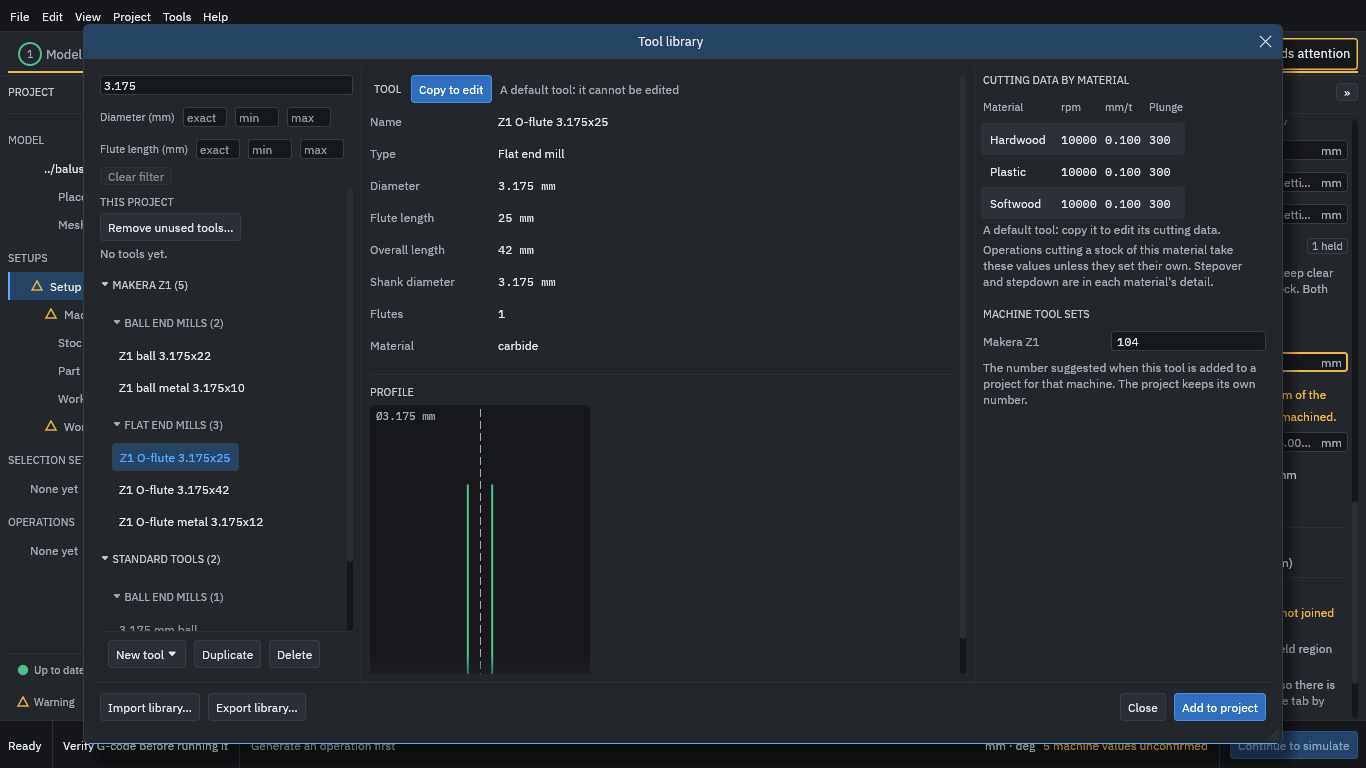
On the right is the tool’s cutting data by material: a spindle speed, a feed per tooth and a plunge feed for each. For Hardwood this tool has 10,000 rpm and 0.100 mm per tooth.
Warning
These are example numbers from the default library; they are not proven cutting data. A default tool cannot be edited, but you can copy it and change the copy.
Then add both tools to the project:
- Press Add to project.
- Select Z1 ball 3.175x22.
- Press Add to project again.
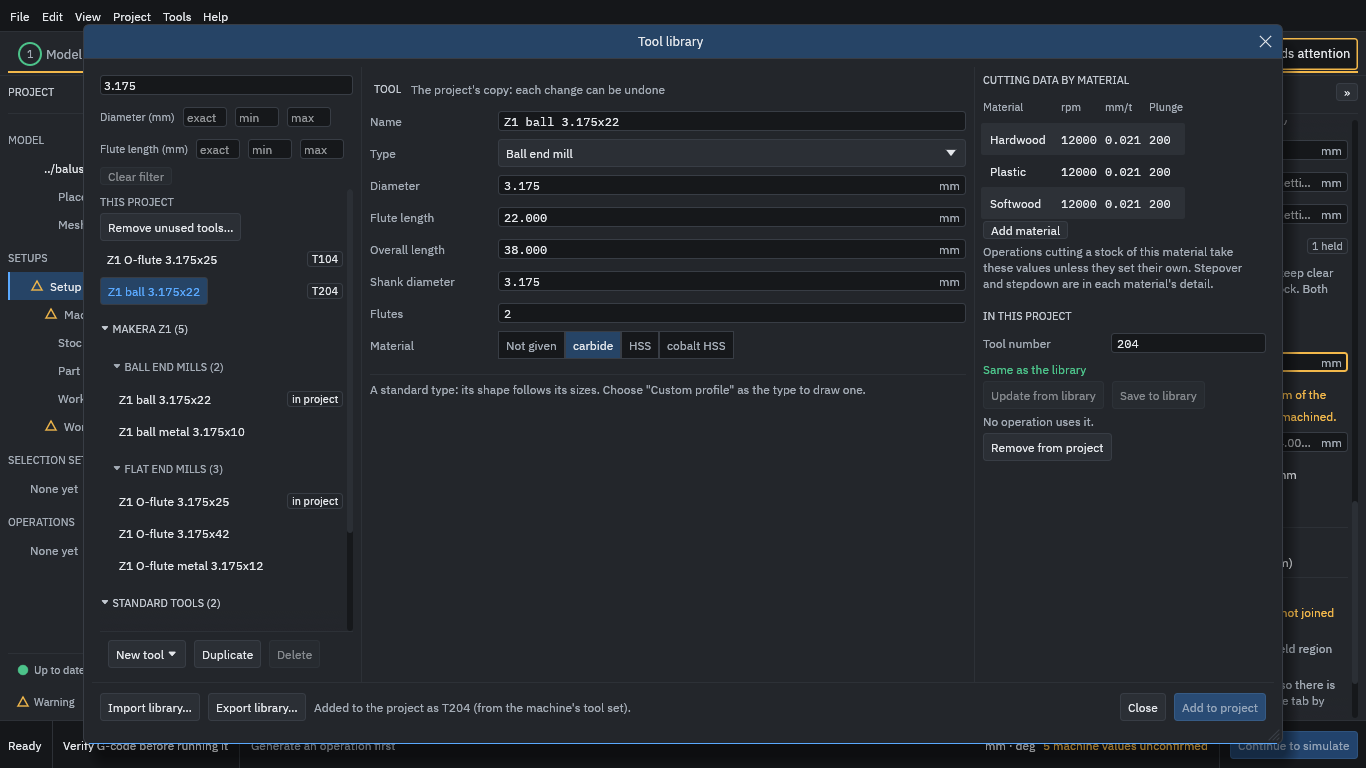
The project now holds two tools, numbered T104 and T204 (the numbers the Makera Z1 tool set suggests). Press Close.