3. Choose the machine
The Setup step describes the machine, the stock and how the work is held.
- Press Add setup.
- In the Inspector (the panel on the right), under Machine, choose Makera Z1.
- Press Use this machine.
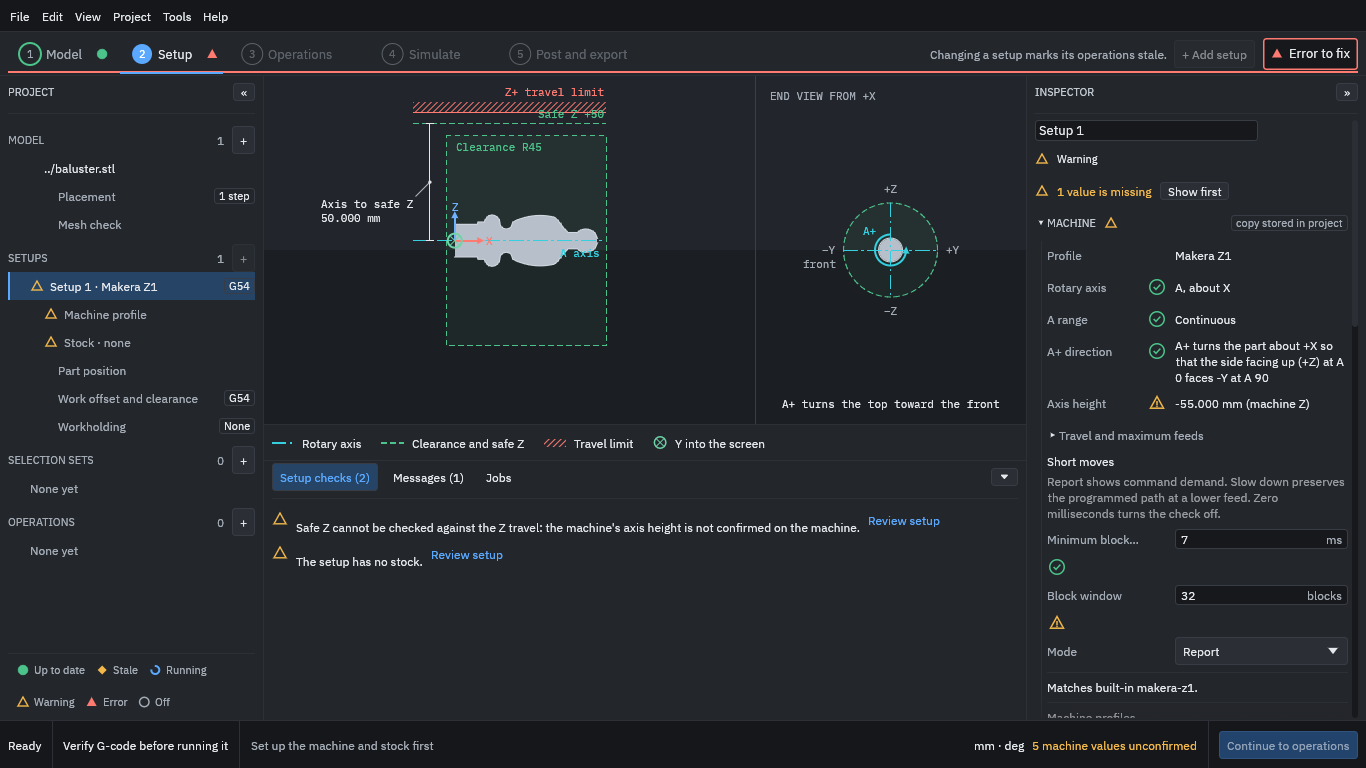
The view on the left of the window now shows the part on the A axis with the safe height and travel limit; the end view shows which way positive A turns. The Inspector shows the machine profile’s rotary axis (A, about X), its range and direction.
Warning
Notice “5 machine values unconfirmed” at the bottom right. The built-in Z1 profile includes values nobody has confirmed on your machine, such as the height of the axis above the bed. They are the values the program uses to check that moves stay in range, so measure them on your machine and correct the profile before you trust a check that depends on them.